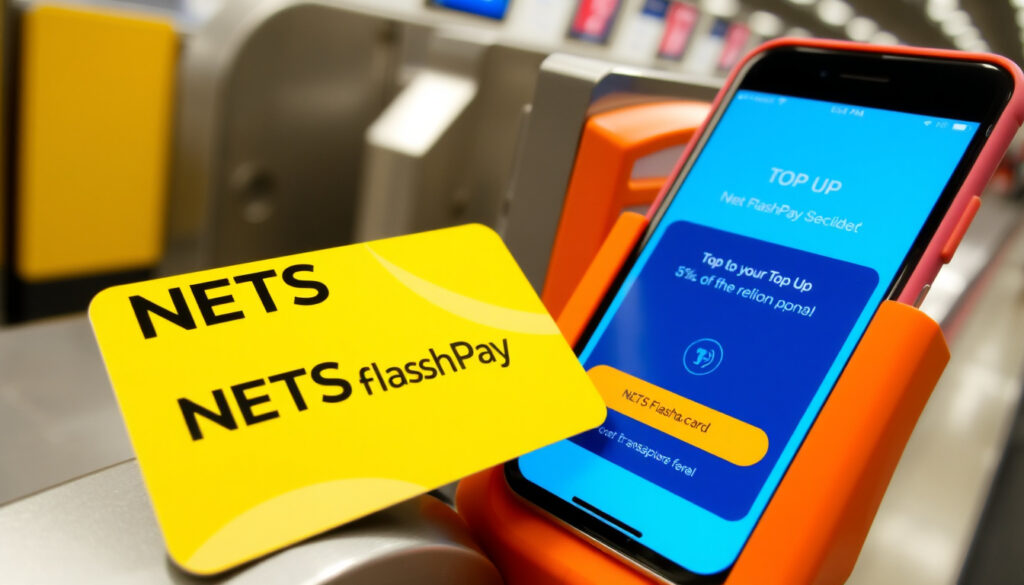
How to Top Up NETS FlashPay: Fees, Auto Top-Up & More (2025)
Anyone who drives in Singapore and uses the ERP knows how crucial NETS FlashPay is. But with recent confusion about its future, many users are wondering if they can still top up their cards. The short answer is yes — and here’s exactly how to keep your card topped up in 2025.
Status: Active – sales and support continue ·
Top-up methods: NETS App, Customer Service Centre, and more ·
Auto top-up: Available via NETS App ·
Card use: ERP and public transport
Quick snapshot
- NETS FlashPay is still available and supported (NETS FlashPay page (official payment network))
- Top-up via NETS App requires an NFC-enabled phone (NETS App (official mobile app))
- Auto top-up can be set up for free through the NETS App (NETS App) (NETS FlashPay page (official payment network))
- Exact top-up fee amount is not officially stated on NETS pages
- Future discontinuation date has not been announced
- App top-up service will be unavailable on 10 July 2025 (12am–7am) and 29 July 2025 (12am–4am) for maintenance (NETS Announcements (official service alerts))
- NETS continues to support FlashPay; no end-of-life date announced
The table below summarizes the key facts about NETS FlashPay.
| Field | Detail |
|---|---|
| Card Type | Stored-value card |
| Issuer | NETS |
| Primary Use | ERP and public transport payments |
| Top-up Methods | NETS App, Customer Service Centre, SimplyGo app |
| Auto Top-Up | Available, free registration |
How do I top up my NETS FlashPay card?
There are several ways to add value to your NETS FlashPay card, each with its own steps and requirements. The most convenient method is via the NETS App, but fallback options exist if you don’t have an NFC phone or prefer in-person top-ups.
Top up using the NETS App
- Open the NETS App on your phone and tap the Top-up option under NETS FlashPay Card or Motoring Card (NETS App).
- Scan your NETS FlashPay card with the phone’s NFC scanner – the scanner is usually at the back of the device (NETS App).
- Enter the top-up amount (max S$50 per transaction as reported by Channel NewsAsia (Singapore news outlet)).
- Choose a payment method – credit card or debit card – and complete the payment (Channel NewsAsia).
- After payment, scan the card again with NFC to load the value (NETS App).
The app top-up relies on NFC. If your phone doesn’t support NFC, you’ll need to use one of the alternative channels listed below.
Top up at Customer Service Centre
- Visit the NETS Customer Service Centre at 2 Kallang Avenue, CT Hub, #01-01, Singapore 339407 – top-ups are processed in person.
- Bring your NETS FlashPay card and a payment method (cash or card accepted, though no official fee is listed).
During app maintenance windows, NETS directs users to the Customer Service Centre and other physical channels (NETS Announcements).
Other top-up locations
- DBS/POSB ATMs: Insert your ATM or debit card, select “More Services”, then choose NETS FlashPay/Cashcard/Ez-Link/Concession Card top-up (DBS Singapore (major bank)).
- NETS Top-up Machines at selected locations, and TransitLink/assisted kiosks at MRT stations (NETS Announcements).
- Convenience stores and petrol stations – some outlets accept top-ups, though availability varies (Trip.com (travel guide)).
The implication: The NETS App is the fastest method, but if you’re caught without NFC or during a maintenance window, the physical network of ATMs and kiosks ensures you can still top up.
Is NETS FlashPay still available?
Despite rumors that the card was being phased out, NETS has officially stated that it will continue sales and support for the NETS FlashPay Card (NETS FlashPay page). The card is not discontinued and remains usable for ERP payments, public transport, and parking.
While NETS currently supports the card, the company has not committed to a long-term roadmap. Motorists should monitor official announcements for any future changes.
Official statement from NETS
NETS will continue sales and support for NETS FlashPay Card.
NETS (official payment network in Singapore)
Difference between discontinued and still supported
Some users confuse the discontinuation of the NETS CashCard (which was phased out) with the FlashPay card. FlashPay is a separate stored-value product that remains active. The confusion likely stems from the gradual shift to the SimplyGo system, but FlashPay is still accepted at all ERP gantries and on public transport.
The pattern: NETS is keeping FlashPay alive for now, but the lack of a clear long-term commitment means users should have a backup plan.
How much is the NETS top-up fee?
Fee transparency is a weak point. The official NETS page lists top-up locations without mentioning any fee (NETS FlashPay page). However, Channel NewsAsia reported that when using the NETS App with Singapore-issued DBS/POSB, OCBC, and UOB credit cards, a S$0.25 fee applies per top-up (Channel NewsAsia). For other credit cards, the fee is S$0.50 per transaction.
Top-up fee at different channels
- NETS App: S$0.25 (local bank cards) or S$0.50 (other cards) – Channel NewsAsia
- Customer Service Centre: No fee officially listed
- DBS/POSB ATMs: No fee mentioned on DBS support page
- Convenience stores: Varies by location
Auto top-up fee
Setting up auto top-up via the NETS App is free. The NETS Auto Top-Up registration PDF does not mention any additional fee for the automatic reload itself (NETS App). The only cost is the per-transaction credit card fee discussed above, if you use a credit card as the funding source.
The trade-off: The app top-up is convenient but carries a small fee. Using ATMs or the service centre may be fee-free, but they require travel and time.
Can I use my debit card as NETS FlashPay?
No. NETS FlashPay is a separate stored-value card, not a debit card. Some bank cards (e.g., certain DBS or OCBC cards) offer a built-in FlashPay feature, but a standard debit card cannot be used as a FlashPay card for ERP or public transport.
Debit card vs NETS FlashPay
- NETS FlashPay is a prepaid card that you load with money before use.
- A debit card deducts directly from your bank account at the point of sale.
- For ERP payments, the gantry reads the stored value on the FlashPay card, not a debit card.
Using debit card for ERP
If you want to use a debit card for ERP, you would need a card with an integrated FlashPay or CashCard function. Some bank-issued cards do have this, but it’s a separate product from a standard debit card. Check with your bank to see if your card supports FlashPay.
What this means: Don’t rely on your debit card for ERP – keep a dedicated FlashPay card topped up.
How much is the FlashPay auto top-up fee?
As mentioned, the auto top-up feature itself carries no additional fee. The NETS App allows you to set up automatic reloads when your balance drops below a threshold. The only cost is the per-transaction credit card fee if you fund the auto top-up with a credit card (Channel NewsAsia).
Auto top-up fee details
- Registration: Free
- Per auto top-up: No fee from NETS; credit card fee applies if using credit card
- Maximum per top-up: S$50
How to set up auto top-up
- Open the NETS App and go to the NETS FlashPay section.
- Select “Auto Top-Up” and choose a funding source (credit card or bank account).
- Set the trigger amount (e.g., top up when balance falls below S$10).
- Confirm with an OTP sent to your registered mobile number (NETS instructional video (YouTube)).
The implication: Setting up auto top-up is a one-time effort that can save you from running out of value at an ERP gantry.
Clarity: What we know and what remains unclear
Confirmed facts
- NETS FlashPay is still available and supported (NETS FlashPay page)
- Multiple top-up methods exist: NETS App, Customer Service Centre, ATMs, kiosks, convenience stores
- Auto top-up can be set up via the NETS App at no extra charge
- App top-up requires NFC scanning of the card
What’s unclear
- Exact top-up fee at physical channels – not officially listed by NETS
- Future discontinuation date – NETS has not announced one
- Whether the card will eventually be replaced by SimplyGo – no official statement
Motorists should weigh the known facts against the lingering uncertainties when planning their payment methods.
Quotes from the industry
NETS will continue sales and support for NETS FlashPay Card.
NETS (official payment network in Singapore)
The S$0.25 fee applies for Singapore-issued DBS/POSB, OCBC, and UOB credit cards, while other credit cards incur a S$0.50 fee per top-up.
For motorists in Singapore, the choice is clear: keep your NETS FlashPay card active by topping up via the NETS App or fallback channels, or risk being unable to pay ERP and park conveniently. The card is not dead yet – but stay informed about future announcements.
nets.com.sg, nets.com.sg, daydreamwithu.com, sbr.com.sg, id.trip.com, oreateai.com
For those who also use Singapore’s other stored-value card, our EZ-Link card top-up guide covers all the same convenient methods.
Frequently asked questions
How can I top up my NETS FlashPay on an iPhone?
Use the NETS App available on the Apple App Store. The app uses the iPhone’s NFC scanner – hold the top of your phone near the FlashPay card to scan. The steps are the same as on Android: open the app, select top-up, scan card, enter amount, pay, and scan again.
How do I top up using the SimplyGo app?
The SimplyGo app can be used as an alternative method. You need a SimplyGo account and must link your NETS FlashPay card. The top-up flow is similar to the NETS App but requires a SimplyGo account setup.
How do I set up auto top-up for NETS FlashPay?
Open the NETS App, go to NETS FlashPay section, select “Auto Top-Up”, choose a funding source, set the trigger amount, and confirm with an OTP. Registration is free.
What is the NETS FlashPay app?
The NETS App is the official mobile application from NETS that allows you to manage your NETS FlashPay card, including top-ups, viewing balances, and setting up auto top-up.
Can I use NETS FlashPay for public transport?
Yes, NETS FlashPay is accepted on public transport in Singapore, including MRT and buses, as a stored-value card.
Is NETS FlashPay accepted at all ERP gantries?
Yes, it is accepted at all ERP gantries in Singapore. It is one of the primary payment methods for electronic road pricing.
If you have further questions, check the official NETS website or contact their customer service.
More related posts
 One Motoring Road Tax Renewal – Step-by-Step 2025 Guide
 ASEAN All-Star v Man United: Score, Highlight , and How to Watch
 Supergirl Woman of Tomorrow – 2026 Release, Cast & Trailer
 Eco Shop Share Price: IPO, Targets & Current Price
 Kung Pao Chicken Near Me: Flavor, Health & Ordering Tips
 Man City vs Crystal Palace: Prediction, Lineup & Stats
 Decathlon City Square Mall Singapore: Location, Hours, Guide
 Kurs Singapore Dollar ke Rupiah: SGD to IDR Rate Today
