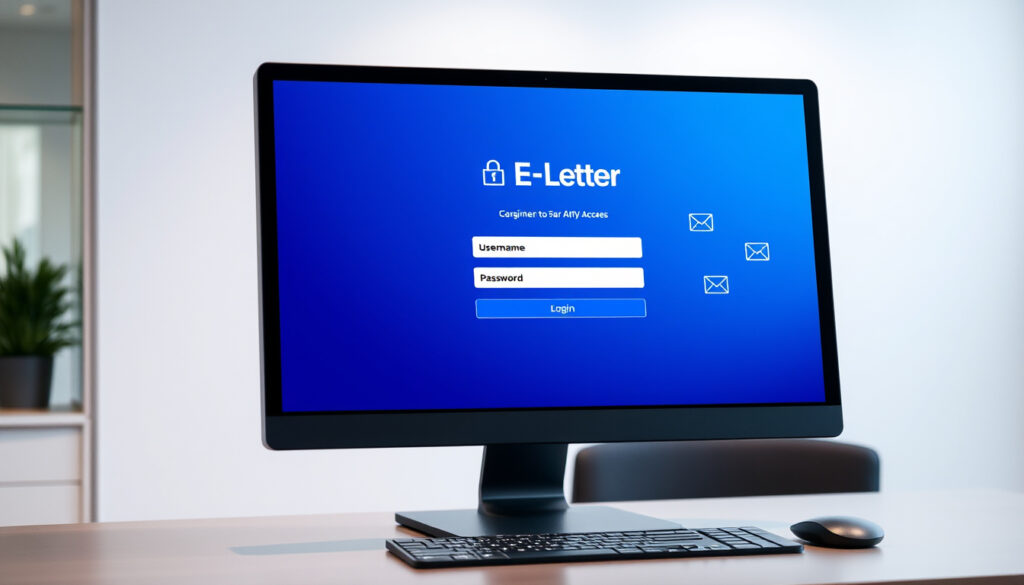
SPS E-Letter Login: How to Access and Send Messages
Staying connected with a loved one in prison used to mean weeks of waiting for mail to arrive. Singapore Prison Service changed that with e-Letters, a digital portal that lets approved senders deliver messages directly—and securely—to inmates in days instead of weeks. If you’re new to the system, the login process might look intimidating at first, but it takes under ten minutes once you know where to go.
Official Provider: Singapore Prison Service (SPS) · Access Portal: eservice.sps.gov.sg · Legacy Users Note: Pre-02 July 2020 registrations unchanged · Key Feature: DIRECT secure communication
Quick snapshot
- Portal access at eservice.sps.gov.sg (Singapore Prison Service)
- SingPass is the preferred login method (SPS e-Letters FAQ)
- Security screening takes up to 10 days for both directions (SPS e-Letter Official Page)
- Exact current processing times beyond “up to 10 days” maximum
- Full details on what specifically triggers rejection beyond general categories
- DIRECT tablet system active since January 2022 (SPS Write eLetters Page)
- Legacy login unchanged since 02 July 2020 (SPS Write eLetters Page)
- Released Inbox valid for 30 calendar days post-release (SPS Write eLetters Page)
- Add inmate as contact after login (inmate number required)
- Wait 1 calendar day after inmate accepts before sending
- Send max 1 e-letter per inmate per day
| Field | Value |
|---|---|
| Service Name | SPS e-Letters |
| Portal URL | eservice.sps.gov.sg |
| Provider | Singapore Prison Service |
| Legacy Login | Unchanged for pre-02 July 2020 |
| Communication Type | DIRECT e-letters |
What is E letter SPS?
The Prison Service e-Letter system is Singapore’s official digital channel for written communication between inmates and approved contacts outside. Run by the Singapore Prison Service (SPS), the portal replaces much of the traditional paper mail while maintaining the same security protocols that govern prison correspondence.
Approved senders—typically family members, friends, or legal representatives—register on the portal, add the inmate as a contact, and submit messages digitally. The Singapore Prison Service then screens each message before delivering it to the inmate. Replies follow the same path in reverse: the inmate writes, staff scan, and the response appears in your inbox.
The system connects to DIRECT (Digitalisation of Inmate Rehabilitation and Corrections Tool), which means inmates since January 2022 view incoming letters on electronic tablets rather than receiving printed copies. This applies to letters, postcards, and greeting cards sent through the e-Letter portal.
DIRECT e letter explained
DIRECT is the tablet-based system inmates use inside Singapore prisons. When an e-letter passes security screening, staff load it onto the inmate’s DIRECT tablet instead of printing a physical copy. The inmate reads it on screen, and any reply gets scanned back to the sender digitally.
Singapore Prison Service emphasizes that hardcopies ceased for DIRECT users from January 2022—this includes not just e-letters but postcards and greeting cards as well. If you’re sending a message expecting a physical keepsake in return, that’s no longer how the system works.
“From January 2022, inmates are able to view their incoming letters, postcards and greeting cards on their DIRECT electronic tablets. Hence, they no longer receive hardcopies.”
— Singapore Prison Service, Official Website
Inmates cannot retain copies. Once screened and viewed on the DIRECT tablet, the digital file is deleted—there’s no archive accessible to the inmate later.
How to login to SPS e-letter?
Login is available two ways: through SingPass (the government’s digital identity system) or with a standalone account you create on the portal itself. Singapore Prison Service encourages SingPass for new users because it removes the need to remember yet another password.
Steps for new and existing users
For SingPass users: visit eservice.sps.gov.sg, click the SingPass option, and authenticate through the government portal. You’ll be redirected back with your identity confirmed.
For non-SingPass users: click “Register” on the login page, provide your name, email, and a password. You’ll also set a security question during registration—SPS stores this to verify your identity if you forget credentials later.
Existing users who registered before 02 July 2020 should use their original login credentials. The Singapore Prison Service has not required these accounts to migrate to the SingPass system, so your legacy username and password still work.
- Visit eservice.sps.gov.sg
- Choose SingPass (preferred) or click Register for a new account
- Complete authentication or registration steps
- Add inmate as contact before sending your first e-letter
“Note: it is encouraged to use your SingPass (if available) to login instead of registering a new account with us.”
— SPS e-Letters FAQ, Official Guide
Troubleshooting login issues
If you cannot log in despite entering correct credentials, the SPS e-Letters FAQ recommends submitting an error report through the Online Feedback Form on the portal. Include the specific error message you receive—Singapore Prison Service’s support team uses this to diagnose login failures.
For non-SingPass accounts, password recovery requires your Login ID, a captcha verification, and your security question answer. Submitting these correctly triggers a reset link to your registered email address.
Singapore Prison Service cannot disclose specific reasons if an e-letter fails security screening—the system treats the details as confidential. If your message gets rejected without explanation, that’s the policy at work, not a glitch.
What is E letter format?
SPS e-Letters have formatting rules designed to work with the digital screening system. Messages must be plain text—no special characters, no emoji, and no formatted text like bold or underline. Anything outside these parameters risks a failed submission.
Required content guidelines
Your message should focus on personal communication. Approved senders include family members, friends, and legal representatives who have completed the security check and registered on the portal. Content must not include threats, hate speech, or material that could compromise prison security—broad categories that Singapore Prison Service evaluates on a case-by-case basis.
Screening applies to both incoming and outgoing correspondence. Security staff review e-letters before delivery, which is why the processing time for both directions can reach up to 10 days, according to the SPS e-Letter Official Page.
Attachment rules
The system does not support file attachments through the standard e-letter portal. If you need to send documents to an inmate, you’ll need to check whether physical mail or an alternative channel applies to your situation—Singapore Prison Service handles attachments separately from the e-letter system.
How many E letters can inmate send?
Inmates can send one e-letter per recipient per day. This limit applies regardless of how many approved contacts are registered—the daily cap is per sender-inmate pair, not a total count.
Inmate sending limits
Singapore Prison Service sets the one-per-day-per-inmate rule to manage the administrative load on DIRECT tablets and screening staff. If an inmate has three approved contacts, they can send one message to each person in a single day (three total), but cannot send multiple messages to the same person that day.
Recipient guidelines
Recipients must be registered and approved as contacts before any e-letter exchange can occur. The contact request process requires the sender to add the inmate using their inmate number—SingPass users need only the number, while non-SingPass users also need the inmate’s name.
Once you submit a contact request, the inmate has 10 days to accept. If no response arrives within that window, the request expires—SPS recommends resending to alert the inmate. After acceptance, you must wait one calendar day before you can write your first e-letter.
Released inmates retain access to their “Released Inbox” for 30 calendar days post-release through the e-Letters portal. After that window, the account and its contents are no longer accessible.
E letter for inmates Singapore?
For families and friends in Singapore, the e-letter system offers a practical alternative to waiting for physical mail. Letters arrive digitally after screening, and responses come back the same way—no post office visits, no stamps, no guessing when a message might arrive.
Sending process
After logging in and adding an inmate as contact, composing an e-letter follows these steps: click “Write” in the portal, select the inmate recipient, enter your message (plain text only), and submit. You’ll receive confirmation that the message entered screening.
A unique Letter Reference ID appears on each e-letter you send or receive. Note this ID if you need to follow up with Singapore Prison Service about a specific message—the reference makes inquiry handling faster.
Integration with visits
e-Letters run parallel to visit bookings but don’t replace them. Face-to-face visits remain separate, booked through SingPass, kiosks at Prison Link Centres, or the hotline. For tele-visits, register 15-30 minutes early; for face-to-face sessions, arrive 30-45 minutes before your slot.
Kiosk hours on Saturdays run 8am to 4pm if you prefer in-person booking over the online portal. The e-letter system does not affect visit scheduling—these remain independent channels.
“Security screening takes up to 10 days for both outgoing and incoming e-letters.”
— SPS e-Letter Official Page
Families in Singapore now have a digital option for staying in touch between scheduled visits. The trade-off: responses take up to 10 days due to screening, and inmates cannot archive copies once viewed on DIRECT tablets.
Related reading: One.Motoring Road Tax Renewal Guide · Company Incorporation in Singapore
ftp.broadwayinfosys.com, sps.gov.sg, sps.gov.sg, ftp.bills.com.au
Frequently Asked Questions
How to recover a forgotten SPS e-letter password?
For non-SingPass accounts, password recovery requires your Login ID, a captcha verification, and your security question answer. Submitting these correctly triggers a reset link to your registered email address.
What devices work for SPS e-letter login?
The e-Letters portal at eservice.sps.gov.sg works on any web browser. Singapore Prison Service recommends using a desktop or laptop for the initial registration and login process to ensure all security features display correctly.
Are attachments allowed in e-letters?
No. The system does not support file attachments through the standard e-letter portal. If you need to send documents to an inmate, you’ll need to check whether physical mail or an alternative channel applies to your situation.
How does e-letter differ from visit booking?
e-Letters are asynchronous written communication that can be sent any time—recipients typically receive them within 10 days after security screening. Visits are scheduled synchronous sessions, either face-to-face or via tele-visit, lasting 20-30 minutes. The two channels operate independently.
What happens if my e-letter is rejected?
Singapore Prison Service cannot disclose specific reasons if an e-letter fails security screening—the system treats the details as confidential. If your message gets rejected without explanation, that’s the policy at work, not a glitch. Submit a new message ensuring it contains only plain text with no special characters or emoji.
Is SPS e-letter free?
Yes. The e-Letter service provided by Singapore Prison Service is free for registered users. You only need internet access and a valid SingPass account or a registered portal account.
Can I change my registered name or email after registration?
No. According to the SPS e-Letters FAQ, registered name and email cannot be changed post-registration. Ensure you enter accurate information during the registration process.
More related posts
 Fluted Panel Feature Wall: Pros, Cons & Costs
 Change New Notes 2026: Lunar New Year & Euro Updates
 Clementi 448 Market & Food Centre: What to Eat, Hours
 Qiao Lu Roasted Duck Menu: Prices & Peking Duck Differences
 Kurs Dollar Singapore Hari Ini: Live SGD to IDR Rates
 Next Door Spanish Cafe: Menu, Reviews & Reservations
 Operator Jobs in Singapore: 1500+ Openings & Salaries 2026
 Happy Kanako’s Killer Life: Episodes & Where to Watch
