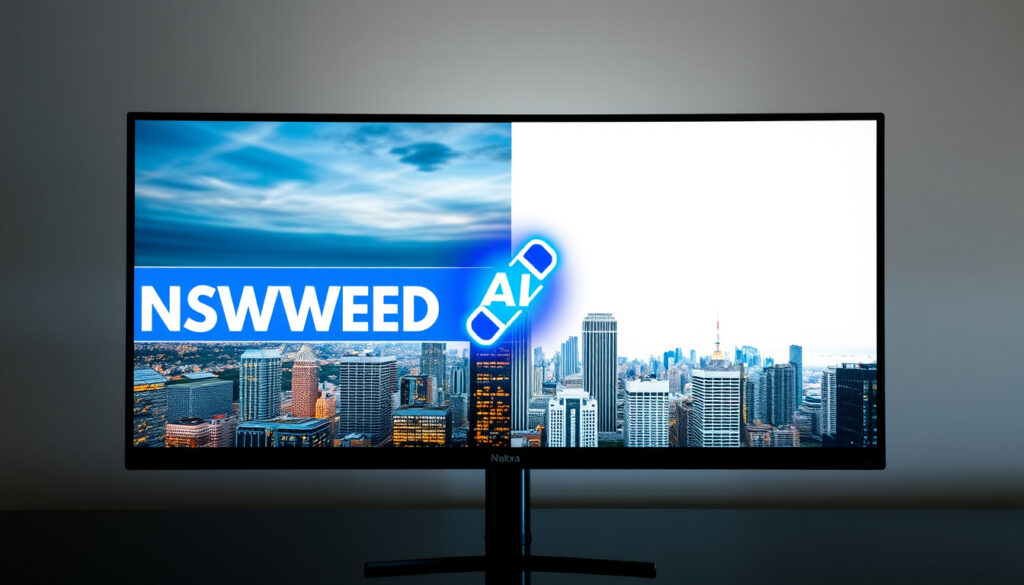
Remove Text from Image Online Free with Top AI Tools
You’ve found the perfect stock photo — then noticed the watermark burned into the corner. Or maybe you inherited a scanned document with handwritten notes you need gone. AI text removal tools have gotten surprisingly good at fixing exactly this kind of problem, and most of them work right in your browser without installing anything. Here’s what works, what has limits, and how to pick the right tool for the job.
Top Free Tools Listed: 5 · AI-Powered Options: All · No Signup Required: NoteGPT · HD Quality Supported: Yes
Quick snapshot
- AI tools process in seconds (PixelPanda)
- No software download needed (NoteGPT)
- Background preserved via inpainting (PixelPanda)
- Exact limits on image size per tool
- User success rates on complex backgrounds
- Regional availability variations
- Tools like PixelPanda use current models (EasyOCR, LaMa), reflecting recent AI advancements (PixelPanda)
- More tools adding batch processing
- Improved accuracy on handwritten text
| Specification | Value |
|---|---|
| Primary Method | AI inpainting |
| Free Access | All top tools |
| Processing Time | Seconds |
| Quality Retention | HD supported |
| NoteGPT Max File Size | 20MB |
| VisualGPT Max File Size | 16MB |
| PixelPanda Max File Size | 10MB |
How to Remove Text from Image Online Free?
The process follows a consistent three-step pattern across most free online tools: upload, select, and download. The exact mechanics vary slightly by platform, but the core experience remains straightforward.
Step-by-step process
- Upload your image — drag and drop or click to select. Most tools accept JPG, PNG, and WebP formats.
- Select the text area — use auto-detect for one-click removal, or brush/describe for manual targeting.
- Process and download — AI fills the space within seconds; download the result in the same resolution.
PixelPanda processes images in 10-20 seconds, while EXPERTE.com caps processing at 30 seconds. Speed matters when you’re cleaning multiple photos for a social campaign.
Top free tools overview
Pixa AI and EzRemove represent the two dominant approaches. Pixa offers free text removal via simple selection, while EzRemove provides both auto and manual modes for watermarks and captions.
- Pixa AI — Magic Eraser tool, free online, preserves background quality
- EzRemove — Auto Mode with V1 model, Manual Erase available, free access
- Cleanup.pictures — One-click removal for text, objects, and people
The implication: most free tools handle straightforward text removal well, but watermarks and complex overlays often require the manual brush mode available on Picsart or EzRemove.
How to Remove Text from Image Without Affecting Background?
This is where AI inpainting makes the difference. Rather than simply erasing pixels, the technology analyzes surrounding areas and fills gaps with contextually appropriate content.
AI inpainting technique
PixelPanda explains the mechanism clearly: “EasyOCR scans your image and finds every piece of text — it doesn’t care about font, size, color, language, or whether the text is straight, curved, or rotated.” Then LaMa’s inpainting fills the detected areas with matching background texture.
PixelPanda (AI tool developer)
First, EasyOCR scans your image and finds every piece of text — it doesn’t care about font, size, color, language, or whether the text is straight, curved, or rotated.
Tool comparisons
| Tool | Auto-detect | Manual Brush | Background Preservation |
|---|---|---|---|
| Cleanup.pictures | Yes | No | High accuracy |
| Picsart | Detect text mode | Describe changes | Yes |
| EzRemove | Auto Mode | Manual Erase | Yes |
| AnyRemover | One-click | Brush over area | Yes |
The catch: complex backgrounds with gradients, patterns, or overlapping objects challenge even the best inpainting algorithms. Manual selection modes give you more control when auto-detect produces artifacts.
Best Free AI Tools to Remove Text from Image?
The free tier landscape varies significantly. Some tools offer truly unlimited access, while others gate features behind daily quotas or premium subscriptions.
Canva’s Grab Text requires Pro subscription, while NoteGPT operates fully free without signup. Your budget and use volume determine which “free” tool actually works for you.
Pixa AI features
- Magic Eraser for text, logos, watermarks
- No background damage
- Browser-based, no software
- Targets professionals handling marketing collateral
Canva text remover
- Grab Text and Magic Grab features
- Pro subscription required for full functionality
- AI recognizes different text types
- No background alteration when it works
NoteGPT no-signup
- Supports PNG, JPG, JPEG, WebP up to 20MB
- Preserves original resolution
- Instant AI erasure
- Truly free with no account needed
What this means: for casual use with no signup friction, NoteGPT and Cleanup.pictures lead. For professional workflows requiring batch processing, VisualGPT supports multiple images simultaneously.
How to Remove Text from Image in HD Quality?
High-definition preservation depends on two factors: the output resolution the tool maintains, and whether the inpainting algorithm can handle detailed backgrounds without introducing artifacts.
Quality preservation tips
- Start with the highest-resolution original available
- Use tools explicitly stating HD support (NoteGPT, VisualGPT)
- Avoid excessive re-processing the same image
- Check preview before downloading final output
Tool capabilities
NoteGPT preserves original resolution, while VisualGPT handles images up to 16MB for detailed processing. Tools like PixelPanda process at 10MB maximum, which may limit very high-resolution scans.
Original resolution retention varies by tool. NoteGPT’s 20MB limit accommodates most standard photos, but scanned documents at 600+ DPI may exceed some platforms’ thresholds.
The pattern: premium tools and no-signup options tend to prioritize quality output, while capped free tiers may compress or limit resolution to manage server costs.
How to Remove Text from Image Using SnapEdit or Picsart?
While SnapEdit wasn’t prominently featured in our research, Picsart offers a robust alternative with both automatic and descriptive text removal modes.
Picsart process
- Navigate to Remove Object from Photo tool
- Choose ‘Detect text’ for auto mode or ‘Describe changes’ for manual targeting
- Works on photos, memes, and documents
- Preserves background automatically
Comparison: Canva vs NoteGPT
| Feature | Canva | NoteGPT | Picsart |
|---|---|---|---|
| Free Access | Pro required | Fully free | Free tier |
| Signup Required | Yes | No | Yes |
| Max File Size | Not specified | 20MB | Not specified |
| Manual Mode | Limited | Limited | Yes |
| Batch Processing | No | No | No |
The implication: Picsart’s dual-mode approach makes it versatile for both quick cleanups and more precise edits, but Canva requires investment for its best results.
Tool Specifications
Five tools cover the primary use cases with different strength trade-offs.
| Tool | Max File Size | Daily Free Limit | Signup Required | Formats |
|---|---|---|---|---|
| NoteGPT | 20MB | Unlimited | No | PNG, JPG, JPEG, WebP |
| VisualGPT | 16MB | Unlimited | Yes | JPG, JPEG, PNG, WebP |
| PixelPanda | 10MB | 3 | Yes | JPG, PNG, WebP |
| Krea.ai | Not specified | A few | No | PNG, JPG, WebP, HEIC, HEIF, AVIF |
| Pixelbin | Not specified | 3/month | No | Standard formats |
The trade-off: tools with strict limits (Pixelbin: 3/month) suit occasional users, while unlimited tools like NoteGPT serve frequent workflows. Format support varies most significantly — Krea.ai handles HEIC and AVIF, rare among competitors.
Processing Times and Limits
Speed and usage caps determine which tool fits high-volume workflows.
| Tool | Processing Time | Free Daily Limit | Free Monthly Limit |
|---|---|---|---|
| PixelPanda | 10-20 seconds | 3 | — |
| EXPERTE.com | Up to 30 seconds | Unlimited | — |
| Pixelbin | Seconds | — | 3 |
| NoteGPT | Seconds | Unlimited | — |
Why this matters: Pixelbin’s 3-per-month ceiling works for one-off edits but breaks down for social media managers handling daily content. EXPERTE.com and NoteGPT offer the most generous free tiers for repeated use.
Confirmed vs Unclear
Confirmed
- AI tools process in seconds
- Background preservation via inpainting
- No software download needed
- Most tools support JPG/PNG/WebP
- Free tiers exist without signup
Unclear
- Exact image size limits per tool
- Success rates on complex backgrounds
- Regional language support variations
- User satisfaction benchmarks
What Experts Say
Our tool stands out by letting you remove text from images quickly, keeping original quality, and using it for free—no complicated steps.
With Canva’s Grab Text and Magic Grab (Pro), there’s no need to download software to remove text from your pictures.
Microsoft Tech Community (Community Discussion)
GIMP is recommended as free open-source software alternative for manual text removal, compared to Photoshop.
pixa.com, picsart.com, anyremover.com, visualgpt.io, experte.com, pixelbin.io, krea.ai, ezremove.ai
These AI tools excel at erasing unwanted text while similar platforms remove backgrounds from images to create clean, professional visuals without downloads.
Frequently asked questions
How long does it take to remove text from an image?
Processing typically takes 10-30 seconds depending on the tool and image complexity. PixelPanda completes most images in 10-20 seconds, while EXPERTE.com allows up to 30 seconds for more detailed processing.
Do these tools work on mobile devices?
Most tools are browser-based, meaning they work on any device with internet access. Picsart offers dedicated mobile apps for on-the-go editing, while others function through mobile browsers.
Can I remove text from scanned documents?
Yes, tools like Pixelbin specifically mention recognition of handwritten and blurry text. Results depend on scan resolution and text legibility.
What file formats are supported?
Most tools support JPG, PNG, and WebP. Krea.ai additionally handles HEIC, HEIF, and AVIF formats, which is less common among competitors.
Is the output downloadable in original size?
NoteGPT preserves original resolution. Other tools vary — some may compress output to manage server resources. Check each platform’s specifications before processing high-resolution images.
Are there limits on free usage?
PixelPanda allows 3 free removals per day. Pixelbin caps at 3 per month. NoteGPT and EXPERTE.com offer more generous or unlimited free access. Canva’s Grab Text requires a Pro subscription.
How accurate is AI text removal?
Auto-detect modes work well for clear, printed text against simple backgrounds. Handwritten text, curved text, and complex backgrounds challenge most algorithms. Manual selection modes on Picsart and EzRemove improve accuracy for difficult cases.
Related reading
More related posts
 Pro Kabaddi 2025 Points Table: Standings, Playoffs & Top Players
 Mumbai Indians vs Gujarat Titans Match Scorecard 2026
 One Motoring Road Tax Renewal – Step-by-Step 2025 Guide
 Sales of Balance Flat 2025 – Stable Trends and Buyer Insights
 Lee Hui Ying: PAP MP for Nee Soon GRC – Biography & Facts
 Admin or Office Jobs in Ireland: Dublin Openings & Salaries
 South Korea Plane Crash 2024: Jeju Air Flight 2216 Cause
 What Is a Root Canal? Procedure, Pain, Signs & Recovery
