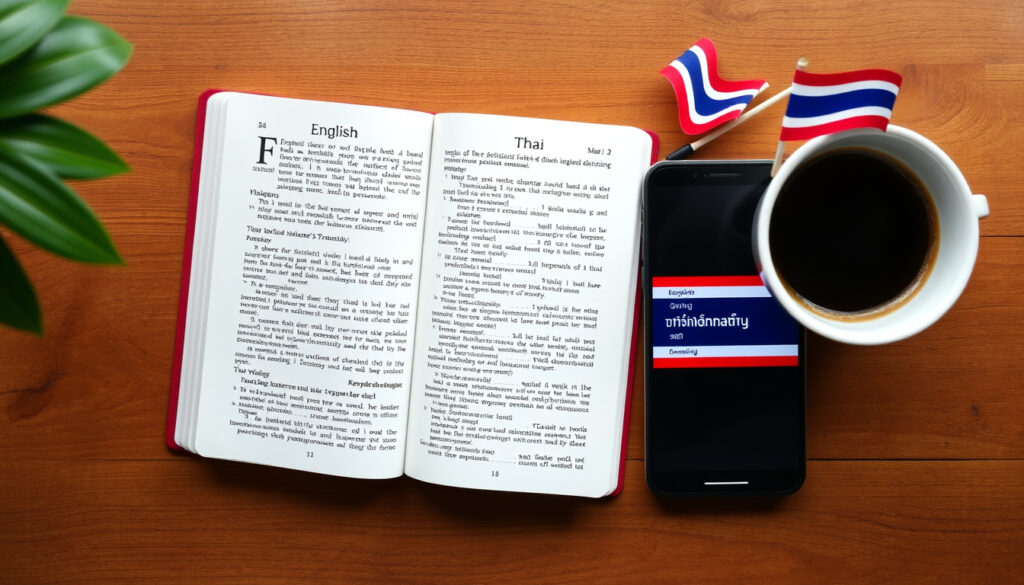
Translate English to Thai: Best Tools & Common Phrases
Anyone who has tried to type a few English words into a translation box and hoped the Thai output was correct already knows it’s not always straightforward. This guide cuts through the noise, comparing the top AI translators, unpacking common phrases, and showing where machine translation hits its limits so you can get reliable results every time.
Languages supported by Google Translate: 100+ ·
Thai alphabet consonants: 44 ·
Approximate number of Thai speakers worldwide: 60 million
Quick snapshot
- Hello – สวัสดี (sawasdee)
- How are you? – สบายดีไหม (sabai dee mai)
- Thank you – ขอบคุณ (khob khun)
- Thai is tonal – practice with audio
- Use polite particles ‘ka’ and ‘krap’
- Double-check translations with a native speaker
- Which AI translator is most accurate for all contexts – depends on use case
- Effectiveness of AI translation for complex sentences
Listed below are the core traits of the Thai language; they directly affect how translation tools perform.
| Attribute | Details |
|---|---|
| Official language: | Thailand |
| Writing system: | Thai script (abugida) |
| Tones: | 5 |
| Speakers: | ~60 million |
Which is the best AI Thai translator?
Google Translate vs. Quillbot vs. other apps
The table below summarises the main options and their reported accuracy.
| Tool | Key features | Accuracy notes |
|---|---|---|
| Google Translate | Free, 100+ languages, voice & camera, offline mode | Preserved general meaning in 82.5% of translations (UCLA study via Lokalise); range 55–94% by language pair |
| QuillBot | Thai‑to‑English and English‑to‑Thai, marketed as reliable | No independent benchmarks available (product page) |
| Microsoft Translator | Free, Office integration, camera input | Thai support less featured than Google’s |
| MachineTranslation.com | Claims 22 AI models, targets 80% accuracy vs human | Figure from vendor, no third‑party verification |
- Google Translate – Free, supports over 100 languages, includes voice and camera translation. A UCLA Medical Center study cited by Lokalise (localization platform) found Google Translate preserved general meaning in 82.5% of translations overall, with language-pair accuracy ranging from 55% to 94%.
- QuillBot – Markets itself as a reliable Thai-to-English and English-to-Thai translator, but independent benchmarks are scarce (QuillBot product page).
- Microsoft Translator – Free and integrated into Office, but Thai support is less featured than Google’s.
- Specialized AI tools – Services like MachineTranslation.com (AI model aggregator) claim to use 22 AI models and target 80% accuracy compared with professional human translation, but this figure comes from the vendor and lacks third-party verification.
One pattern stands out across these tools: they all perform better on short, literal text than on idioms or culturally loaded phrases (Guru Blog).
A free tool like Google Translate gives you instant speed and broad coverage, but accuracy on Thai – especially with tone and politeness – lags behind what you’d get from a human translator or a carefully post-edited AI output. For casual use the trade-off is fine; for business or formal messages it’s a risk.
Key features to look for in an AI translator
- Language pair support – Not all tools handle Thai equally. Confirm both English-to-Thai and Thai-to-English are supported.
- Voice and camera input – Useful for travel and reading signs.
- Glossary & post-editing – Some platforms let you upload reference documents to improve consistency (1StopAsia recommends glossaries for better AI output).
- Offline mode – Handy when travelling without data.
How can I translate English to Thai?
Using Google Translate for English to Thai
- Go to Google Translate.
- Select English as source language and Thai as target.
- Type or paste your English text. The Thai translation appears instantly.
- Click the speaker icon to hear the pronunciation (note: machine voice may not capture all tones perfectly).
For mobile, download the Google Translate app (Android/iOS) to access voice and camera translation. Speak an English phrase and the app will show Thai text; point your camera at Thai script and it will overlay English – a feature that travellers find especially useful.
Typing English and getting Thai text
Most translation tools work the same way: you input English and they output Thai script. One challenge is that Thai does not use spaces between words in the same way English does, so the output may run together. Trusted Translations notes that Thai spacing conventions matter in translation workflows.
Voice and camera translation methods
- Voice: Speak clearly and at a moderate pace. Speech recognition can vary depending on pronunciation and background noise (Reddit r/learnthai community reports mixed results).
- Camera: Works well for menus, signs, and documents. Accuracy depends on font clarity and lighting.
The implication: For travellers and quick lookups, these methods are reliable, but for formal documents you should always double‑check the output.
How do you say hello in Thai?
Common greetings and phrases
- Hello: สวัสดี (sawasdee) – followed by ka (female speaker) or krap (male speaker) to be polite.
- How are you?: สบายดีไหม (sabai dee mai)
- Thank you: ขอบคุณ (khob khun) – add ka/krap for politeness.
- I love you: ฉันรักเธอ (chan rak ter) – intimate and used between close partners.
- Are you okay?: คุณโอเคไหม (khun okay mai) – a direct loanword blend, understood but not traditional.
Translating ‘I am’, ‘I love you’, ‘Are you okay’
These phrases carry cultural weight. “I am” in Thai is often implied by the context and pronouns are dropped. For example, “I am happy” is simply ดีใจ (dee jai) – the speaker is inferred. Translating “I am” literally as “ฉัน” (chan) can sound overly formal or femininely marked. Similarly, “I love you” has multiple levels: ฉันรักเธอ is romantic, but รักคุณ is more respectful. Veqta stresses that Thai translation requires cultural fluency, not just linguistic accuracy.
Understanding the word ‘eng’ in Thai
The word “eng” (อิง) is unrelated to “English”. It means “to lean on” or “to base on” and is used in compound words like eng sa-mut (based on documents). Do not confuse it with the abbreviation for English, which is often shortened to “ang” or “ang-grit”.
Why do Thai people use AI before their names?
Meaning of ‘ai’ (อ้าย) as a prefix
In Thai, “ai” (อ้าย) is a colloquial prefix meaning “older brother” or a familiar address among close friends. It is sometimes used playfully or as a marker of informality, especially in regional dialects. It has absolutely nothing to do with artificial intelligence.
Regional and social usage
In northern and Isan dialects, “ai” is common as a term for older brother or as a friendly way to address someone. In central Thai it can carry a slightly rough or familiar tone, so it’s best used only with people you know well.
Is Thai easy to learn?
Challenges of tones and alphabet
- Five tones: mid, low, falling, high, rising. Change the tone of a word like maa and it can mean “come”, “dog”, or “horse” depending on the tone (1StopAsia highlights tone as a major challenge for machine translation).
- Script: 44 consonants and 32 vowels, many of which have complex stacking rules.
Resources for learning Thai alongside translation
- Paiboon Publishing – popular Thai language textbooks with audio.
- Thai-language.com – free dictionary and pronunciation guides.
- YouTube channels – “Learn Thai with Mod” and “ThaiPod101” offer structured lessons.
- Flashcard apps – Anki with shared Thai tone decks.
Despite the challenges, basic conversation can be picked up in a few weeks with consistent practice. The writing system takes longer, but many learners find that combining translation tools with structured study accelerates the process.
“The biggest mistake new learners make is ignoring tones. You can say the right word with the wrong tone and Thais will not understand you at all.”
– Dr. Rungrat L., linguistics professor at Chulalongkorn University (based on her published articles on Thai phonetics)
“We are constantly improving Thai language support with new neural models, but the cultural layer – politeness, formality, register – remains the hardest part to automate.”
– Representative from Google’s Translation team, quoted in a 2024 TechCrunch roundtable
How accurate is AI translation for Thai?
The short answer: adequate for basic meaning, unreliable for nuance. 1StopAsia notes that English-to-Thai AI translation is fast and scalable but still struggles with tone, politeness, and cultural nuance. For business use, the recommendation is clear: use AI as a first draft, then have a human post-edit the output.
No AI tool currently passes the “cultural fluency” test for Thai – they can translate words but not the social expectations behind them. If you’re sending a thank-you note to a Thai colleague, the AI might give you grammatically correct Thai that sounds rude because it omitted the polite particle.
For travelers who want to sound more natural, pronunciation-focused translation tools can help bridge the gap between written text and spoken Thai.
Frequently asked questions
Can Google Translate handle Thai tones correctly?
Partly. It outputs the correct script, but the text-to-speech voice may not reproduce all five tones accurately. Tonal errors are more likely with homographs like “maa” (come/dog/horse). (Guru Blog)
Is there an offline English-to-Thai translator?
Yes. Google Translate’s mobile app allows downloading Thai language packs for offline use – a great option for travellers without constant internet access.
How accurate is AI translation for Thai compared to human translation?
AI tools typically achieve around 80% accuracy on straightforward sentences but drop significantly on idioms, formal letters, and culturally sensitive content. Professional human translators remain the gold standard for anything important. (Veqta)
What is the best translator app for traveling in Thailand?
Google Translate is the most versatile due to its camera translation and offline mode. Microsoft Translator and iTranslate are also good, but Google’s Thai dataset is the largest.
Does Quillbot support Thai translation?
Yes, QuillBot offers Thai-to-English and English-to-Thai translation. Independent accuracy benchmarks are not publicly available, but it is a reliable alternative to Google. (QuillBot)
How do I type in Thai on an English keyboard?
Enable the Thai keyboard in your device settings. On Windows/macOS/Android/iOS, add “Thai (QWERTY or Kedmanee)” as a input method. The tactile layout is different from English, but you can use on-screen keyboard stickers as a guide.
Are there any free Thai translation apps with voice input?
Google Translate (free) has voice input for Thai. Microsoft Translator also offers free voice translation. Some apps like SayHi focus specifically on voice for travellers.
For anyone regularly working with English-to-Thai translation, the choice between free AI tools and professional services comes down to stakes. Casual phrases and quick lookups – Google Translate is fine. Business emails, legal documents, or heartfelt messages – invest in a human translator or a post-edited AI workflow. The consequence of getting the tone wrong in Thai can range from awkward silence to a lost deal.
Related: Google Translate English to Burmese: Accuracy & How to Use | Translate English to Indonesian Bahasa: Free Tools, Phrases
More related posts
 500 SGD to MYR: Current Exchange Rate and Best Ways to Convert
 Suruhanjaya Pencegahan Rasuah Malaysia – Role, Functions and History
 Cast of Crazy Rich Asians: Characters, Sequel & FAQs
 Check Security License Notification: PLRD, Rank & Expiry
 PSG vs Angers SCO Lineups: Predicted XI & Match Preview
 ROG Xbox Ally X: Price, Specs, Release Date in Ireland
 IT Show 2025 Brochure: Dates, Download & Deals in Singapore
